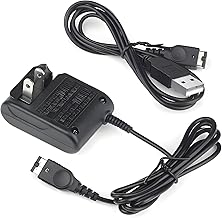
For retro gaming enthusiasts, the Nintendo Gameboy Advance SP remains a beloved icon. Its clamshell design and brilliant backlit screen (on the AGS-101 model) made portable gaming a joy. However, time is the ultimate foe of all electronics, and one of the most common failures is the original battery losing its capacity. If your gaming sessions are cut short by a flashing red light, it's time for an upgrade. This comprehensive guide will walk you through everything you need to know about replacing your aging Gameboy Advance SP battery with a modern, high-capacity solution, specifically focusing on the benefits of a 2800mAh lithium-ion battery.
Why Upgrade Your Gameboy Advance SP Battery?
The original batteries for the GBA SP, especially for the AGS-001 model with its front-lit screen, are now nearly two decades old. Lithium-ion batteries degrade over time, even when not in use. Common signs you need a replacement include drastically reduced playtime (less than 2-3 hours on a full charge), the battery failing to hold a charge, or the power light flashing red shortly after turning the console on. An upgrade isn't just a repair; it's an enhancement. A new, high-capacity rechargeable battery can often provide more playtime than the console had when it was new, breathing new life into your classic handheld.
Understanding Battery Capacity: What Does 2800mAh Mean?
The 'mAh' (milliampere-hour) rating is a measure of a battery's energy storage. The original AGS-001 battery was rated at approximately 600mAh. A 2800mAh battery represents a massive leap in capacity—theoretically offering over 4.5 times the runtime. In practical terms, while actual performance varies based on screen brightness and game intensity, you can expect 8-12 hours of continuous gameplay or more from a quality 2800mAh upgrade. This means fewer interruptions and more time reliving classics like Pokémon Emerald or The Legend of Zelda: The Minish Cap.
Choosing the Right Replacement Battery for Your GBA SP
Not all replacement batteries are created equal. When shopping for a GBA SP replacement battery, look for these key features:
- High Capacity (2800mAh or similar): As discussed, this is the primary benefit for extended play.
- Lithium-ion Technology: Modern Li-ion batteries offer better energy density and less 'memory effect' compared to older NiMH cells.
- Built-in Protection Circuit: A crucial safety feature that prevents overcharging, over-discharging, and short circuits, protecting both the battery and your console.
- Correct Form Factor: It must physically fit inside the GBA SP's battery compartment.
- Included Tools: A battery that comes with the necessary screwdriver, like the one included with the GBA SP Battery, Upgraded (2800mAh), makes the installation process seamless and beginner-friendly.
Step-by-Step Installation Guide
Replacing the battery in your Gameboy Advance SP is one of the simplest mods you can perform. Here's a general guide (always refer to the specific instructions with your battery):
- Power Down & Open the Compartment: Turn the console off. Slide open the battery cover on the back.
- Remove the Old Battery: Gently lift the old battery out of its compartment. It may be held in place with a small amount of adhesive.
- Prepare the New Battery: If your new lithium-ion battery has a protective plastic tab, remove it to activate the battery.
- Insert the New Battery: Place the new battery into the compartment, ensuring the connectors align correctly with the terminals in the console. The polarity is usually marked.
- Close Up and Charge: Replace the battery cover. Plug in your GBA SP charger and give the new battery a full initial charge, which may take several hours.
The process is straightforward and requires no soldering or advanced technical skill. The inclusion of a screwdriver with kits like the Upgraded 2800mAh Battery ensures you have the right tool for any screws securing the battery cover or compartment.
Maximizing Your New Battery's Lifespan
To get the most out of your investment in a new gba-sp-battery, follow these best practices:
- Avoid Full Discharges: Unlike older battery types, modern lithium-ion batteries prefer partial discharges. Try not to let your SP run until it completely dies.
- Store Properly: If you won't be using your GBA SP for an extended period, charge it to about 50-60% before storing it in a cool, dry place.
- Use a Quality Charger: Always use the official Nintendo charger or a reputable third-party equivalent designed for the GBA SP to ensure proper charging voltage and current.
Beyond the Battery: Completing Your GBA SP Revival
While a new battery is the most impactful upgrade for usability, it often goes hand-in-hand with other maintenance or enhancement projects. Consider giving your console a full refresh by cleaning the buttons and shell, or even replacing a scratched screen lens. For AGS-001 owners, a battery upgrade pairs perfectly with plans for a brighter backlight mod. Restoring your Gameboy Advance SP to its former glory is a rewarding project that starts with reliable power.
Conclusion: Reclaim Your Portable Gaming Freedom
Don't let a dead battery chain your Gameboy Advance SP to the wall outlet. Upgrading to a high-capacity rechargeable battery like a 2800mAh model is a simple, cost-effective mod that fundamentally improves the portable experience. Whether you're a nostalgic collector or a daily player, the extended playtime and peace of mind offered by a fresh, high-quality replacement battery are invaluable. It's the single best upgrade you can make to ensure your classic handheld is ready for your next adventure, anytime and anywhere.